Showing posts with label apple tv. Show all posts

Sunday, November 14, 2010

iREB 4.1, iTunes Restore Errors Bypasser, is Out to Support all Devices

iREB is a must have tool for iOS users works under Windows machines which lets you put your device into a pwned state so that you will be able to upload custom firmware to it. iH8sn0w has just released iREB 4.1, the iTunes restore error bypasser to support all new & old devices.
Supported Devices:
  • iPhone 2G
  • iPhone 3G
  • iPhone 3G[S] (old & new bootrom)
  • iPhone 4
  • iPod Touch 1G
  • iPod Touch 2G (MB & MC)
  • iPod Touch 3G
  • iPod Touch 4
  • iPad
  • Apple TV 2

Just download iREB from the link at the end of the page, and follow our guide posted here to cook your custom firmware with Sn0wbreeze for Windows and follow our guide posted here to do the same with PwnageTool for Mac. Then use iREB to put your device into DFU mode and install your cooked firmware (you'll not get iTunes errors with iREB). Also keep in mind that iREB only works on iTunes 10 or above.

Download iREB 4.1
Download iTunes 10.1

Thursday, November 11, 2010

Apple TV 2G Hacked to Support Wiimote and Bluetooth Keyboard

Remember when jailbroken Apple TV 2G was hacked to run it's first app, a weather widget? Well, here's another developer and hacker by the alias Tom Cool has successfully hacked the 2nd Generation Apple TV to support the use of the Nintendo Wiimote.
Image via Flickr
This would allow WiiMote to communicate over Bluetooth to the Apple TV and bring us a pure Wii-style gaming on the Apple TV 2G. Check the video in action:


Also Mathias Ringwald in collaboration with the iPhone developer Optimo and the creator of Cydia, Saurik have successfully ported the bluetooth stack software BTstack from the iPhone to the Apple TV 2. Check this video of the bluetooth keyboard in action:


Cool, eh? What do you think? How about a hacked Apple TV to support video Airplay? [via TUAW, iClarified]

Thursday, November 4, 2010

Plex Arrives to Jailbroken Apple TV

Some hackers could port Plex client successfully on the new iOS based Apple TV. So from now on, after installing Plex on your jailbroken Apple TV, you can technically play any Plex content on your Apple TV (i.e. you can stream media from Plex server to your jailbroken Apple TV 2G.). To be able to do so, you need a jailbroken Apple TV, so you can use our guide posted here to jailbreak Apple TV 2G using PwnageTool then follow the instructions below as written on the forums.
Known Issues
The Software so far is nothing more than a proof of concept, which isn't tested at all. However there are some known issues:
- "Local Servers" screen does only update when you press the up or down button on your remote
- Larger Sections timeout while they are loaded and do never show up
- Only Video playback is working (no music files, no images, no App-Management)
The following explains how you can install (and later on update) the plugin on your (Jailbroken) ATV. Use the software at your own risk and don't blame anyone except yourself if your ATV blows up in the process. Consider this the last warning!!!

Prepare the Media Server
Before you install the actual plugin you need to prepare the Plex Media Server (it needed some tweaks before it would talk to the ATV). Since those changes are considered ‘beta’, you need to tell your PMS to download beta plug-ins, by enetering the following URL in a Safari running on the same machine as the media server: http://localhost:324…s/set?AS_BETA=1
After that start Plex and check for updates in the PlexOnline section.

Enable a higher Quality (optional)
This part is optional, but if you feel like experimenting a lot, you might want to install a testing built of ffmpeg, that enables higher bitrates for the (currently) highest available quality (which is the only quality your ATV will use). This will also increase the image quality on other iOS devices, however you will need a potent Mac for the encoding! So If you still feel like installing use the following two commands in a Terminal on the Mac running your Media Server:

curl http://ambertation.de/downloads/PLEX/ffmpeg > ~/Downloads
/ffmpeg
cp ~/Downloads/ffmpeg ~/Library/Application\ Support/Plex/Plex
\ Media\ Server.app/Contents/Resources/

If you not use this, the plugin will still work, but the image-quality might not be on par with what you expect.

Install the Plugin
First off: you need to Jailbreak your Apple TV. I suggest you use the Pawnage method. For the sake of the following instruction I assume thet the IP-Address of your ATV is 169.10.11.12, and that you can log in using ssh.

- Start your ATV and log in to your ATV using ssh
ssh root@169.10.11.12

It will ask you for your password, which (if you did not change the default) is alpine. (I strongly suggest you change the password using the passwd command!!!)

- In that ssh session, you need to add new cydia sources using

echo "deb http://apt.awkwardtv.org ./" > /etc/apt
/sources.list.d/awkwardtv.list
echo "deb http://www.ambertation.de ./downloads
/PLEX/" > /etc/apt/sources.list.d/plex.list

- Now update your cydia database using
apt-get update

- Install the plugins (and its dependencies like beigelist by DHowett) with
apt-get install plex-client-plugin

- Restart the GUI and hope that it comes back
killall Lowtide

- If the UI does not come up again, you probably have to restore your ATV!
Here's the video in action:
[via Redmondpie, 9to5mac]

Saturday, October 23, 2010

HOW TO: Install Your First App on Jailbroken Apple TV 2G

The other day we told you about the first ever app jailbroken Apple TV 2G app which is called nitoTV. The app currently works as a weather widget and RSS reader. MuscleNerd of iPhone Dev Team has posted on his Twitter account the links to full guides to install nitoTV on jailbroken Apple TV 2G. Check the guide after the jump.
STEP 1: Use PwnageTool to jailbreak your Apple TV, by following the step by step guide posted here.

STEP 2: Once jailbroken, open Terminal and SSH into your Apple TV2, the default password is "alpine"

STEP 3: Type "passwd" and enter a new password (if you haven't already)

STEP 4: Type: echo "deb http://apt.awkwardtv.org ./" > /etc/apt/sources.list.d/awkwardtv.list

STEP 5: Type: apt-get update

STEP 6: Type: apt-get install com.nito.nitoTV

STEP 7: Type: killall Lowtide

That's it, now you can enjoy your first ever jailbroken app installed on your Apple TV 2G. Let's wait for more to come!

Thursday, October 21, 2010

First Jailbroken Apple TV App is Just a Weather Widget!

Couple of weeks back, developers had figured out a way to install apps on jailbroken Apple TV but it was not possible to launch the installed iOS app as there is no application launcher in Apple TV. It's now possible to jailbreak your Apple TV 2G using PwnageTool or GreenPois0n. Today, A small team of developers over at nitoTV have already written the first jailbroken AppleTV app. guess what?
It's not as you think; it's just a weather manager (as a widget), as mentioned on Twitter, it should be released soon at least as a weather widget and also RSS feeds is working. Althoug the app doesn't mean much; but it shows a great progress in running apps on jailbroken Apple TV. Stay tuned as we will keep you informed whenever the game starts.

Wednesday, October 20, 2010

Apple TV 2G Jailbroken AGAIN Using GreenPois0n

We have already seen Apple TV SHAttered but now it's been poisoned using GreenPois0n. Members of Chronic Dev Team posted an image as a proof, showing a custom loader with a background on the Apple TV, running iOS 4.1.
Of course this will open chances for Cydia developers to start developing apps. So, we may see jailbroken Apple TV running apps in few weeks or months. There still no ETA for the new version of GreenPois0n to jailbreak Apple TV 2G. Stay tuned as we will let you know when the tool is released. [via Twitter]

Monday, October 18, 2010

Apple Posts Record Earning for Q4 2010

Few hours ago, Apple has posted record earnings for Q4 2010. It was really big earnings as it makes more revenue in one quarter than Google earns in a year. Apple sold 14.1 million iPhones, 4.19 million iPads, 9.05 million iPods, 250,000 Apple TVs and made $20.34 billion in Q4 2010. Check the Official PR after the jump.
CUPERTINO, California—October 18, 2010—Apple® today announced financial results for its fiscal 2010 fourth quarter ended September 25, 2010. The Company posted record revenue of $20.34 billion and net quarterly profit of $4.31 billion, or $4.64 per diluted share. These results compare to revenue of $12.21 billion and net quarterly profit of $2.53 billion, or $2.77 per diluted share, in the year-ago quarter. Gross margin was 36.9 percent compared to 41.8 percent in the year-ago quarter. International sales accounted for 57 percent of the quarter’s revenue.

Apple sold 3.89 million Macs during the quarter, a 27 percent unit increase over the year-ago quarter. The Company sold 14.1 million iPhones in the quarter, representing 91 percent unit growth over the year-ago quarter. Apple sold 9.05 million iPods during the quarter, representing an 11 percent unit decline from the year-ago quarter. The Company also sold 4.19 million iPads during the quarter.

“We are blown away to report over $20 billion in revenue and over $4 billion in after-tax earnings—both all-time records for Apple,” said Steve Jobs, Apple’s CEO. “iPhone sales of 14.1 million were up 91 percent year-over-year, handily beating the 12.1 million phones RIM sold in their most recent quarter. We still have a few surprises left for the remainder of this calendar year.”

“We’re thrilled with the performance and strength of our business, generating almost $5.7 billion in cash flow from operations during the quarter,” said Peter Oppenheimer, Apple’s CFO. “Looking ahead to the first fiscal quarter of 2011, we expect revenue of about $23 billion and we expect diluted earnings per share of about $4.80.”

Apple will provide live streaming of its Q4 2010 financial results conference call beginning at 2:00 p.m. PDT on October 18, 2010 at www.apple.com/quicktime/qtv/earningsq410/. This webcast will also be available for replay for approximately two weeks thereafter.
Apple designs Macs, the best personal computers in the world, along with OS X, iLife, iWork, and professional software. Apple leads the digital music revolution with its iPods and iTunes online store. Apple is reinventing the mobile phone with its revolutionary iPhone and App Store, and has recently introduced its magical iPad which is defining the future of mobile media and computing devices.

Saturday, October 16, 2010

Untethered Jailbreak Guaranteed for All Future Firmwares on iPhone 4, iPod Touch 4, iPad and Apple TV 2G

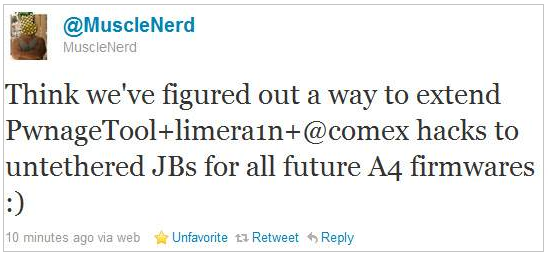
Good news for all A4 users (i.e. iPhone 4, iPod touch 4, iPad and Apple TV 2G users) as MuscleNerd has just surprised us by releasing a very important news. He mentioned that the Dev-team have figured out a combination between PwnageTool, limera1n and Comex untethered hacks, this combination will be able to make untethered jailbreaks for all above mentioned devices on all future firmwares.
Think we’ve figured out a way to extend PwnageTool+limera1n+@comex hacks to untethered JBs for all future A4 firmwares :)
Thanks Dev-team for hard work and the guarantee of having untethered jailbreaks for life time. So that Apple will not be able to patch them if it did not upgrade its A4's hardware. We did not catch more news but we let you informed with all immediate updates, Stay tuned.

You may also like:

Tuesday, October 12, 2010

PwnageTool Coming Out This Weekend to Jailbreak Apple TV 2G and iPhone 3GS

Just a quick heads up, PwnageTool is going to be released this Sunday to jailbreak Apple TV 2G and iPhone 3GS old bootrom on iOS 4.1. This was confirmed by iPhone Dev Team member MuscleNerd on his Twitter account saying that Apple TV 2G jailbreak will be covered using PwnageTool on the fun day.
For AppleTV 2G users, the goal is for PwnageTool to cover you by Funday/Sunday (but still very limited app capability)
Of course and as known, PwnageTool will also jailbreak iPhone 3GS old bootrom and it's important for unlockers as it preserves the baseband and save Ultrasn0w carrier unlock. We'll be covering this, stay tuned!

You may also like:

Friday, October 8, 2010

Greenpois0n will Jailbreak Apple TV 2G ?

Just a quick little heads-up, chronic dev has just sent a tweet mentioning that the Apple TV might support the Greenpois0n jailbreak. As you’re probably aware that the Greenpois0n jailbreak will be released by October 10, but this release will be only for iOS 4th generation devices (iPhone 4 and iPod touch 4G) and iPad, so the hackers are focusing on this one, so don't expect to see the Apple TV 2G jailbreak in the next Sunday.
greenpois0n supports: The iPad, the iPhone 4, and the iPod touch 4. Probably the AppleTV as well.
For now there is no ETA (estimate to arrival) for Apple TV 2G jailbreak, as it still have some issues, but you have to know that dev-team has been succeeded in using the SHAtter exploit with PwnagTool to jailbreak the Apple TV 2G. We expect to see significant progress after we will get the Sunday Jailbreak.

You may also like:

Monday, October 4, 2010

You Can Install Apps on New Apple TV But You Can't Launch Them

As noticed by Gizmodo, iPhone developer Steven Troughton-Smith has discovered that the new Apple TV which was launched a month ago, allows app installation after modification of the apps required to identify them as compatible with Apple TV. Unfortunately, you can't launch them, you will need a launcher for that.
So hackers and jailbreakers must find out a way to launch them, but after the launch of Google TV's site today, Apple will do soon because they don't have any other choices but to put apps in their TV. For your information, SHAtter exploit already works on Apple TV and could jailbreak it, but still no apps! As usual we will keep you informed about any updates for this one!

You may also like:

Google Launches Google TV Website with Details; Apple May Lose

Google today has launched an extensive site for their Google TV. With the launch of the site, so developers are getting ready to announce their apps for Google TV. There still no price or date known but the site is giving a good look at some features especially when considered against the new Apple TV (will Apple lose the war?).
So far, we’ve seen announcements from Twitter, Pandora, CNBC, Vevo and Netflix. Watch the embedded video and look at the applications, you will be able to expand your TV in any way you want using these applications (This is the real difference between Google & Apple's TV) but Apple can also do this, they just need to enable it and they better do it soon before the cameras go away.
Google will also allows users with iOS & Android devices to serve as a remote for their Google TV including voice search & the ability to link multiple phones with a single Google TV. Also as noticed by CrunchGear, you will be able to make video calls from your Google TV, yes the same as FaceTime but on a big screen. It will even have an AirPlay feature called flinging, which will differentiate itself by flinging whole websites and not just the certain type of video content playable by Apple's TV.

You may also like:

Friday, October 1, 2010

Put Apple TV into DFU Mode [How to Guide]

DFU mode (Device Firmware Update) is a special mode where the device can still interface with iTunes. In DFU mode the screen will be totally black. StealthBravo has sent a tweet showing how to put the Apple TV in DFU mode. You will be in dire need of this guide when the jailbreak tool is released, especially the new jailbreak would be throw a custom firmware, as the SHAtter exploit loaded on the PwnageTool to jailbreak the Apple TV 2G.
Requirements:
  • microUSB cable.
Apple TV's Micro-USB port

Steps to put Apple TV into DFU mode:

Step 1: Plugin your Apple TV to computer with microUSB.

Step 2: Hold menu + down button together for 6 secs to reboot.

Step 3: Once your Apple TV reboots immediately hold menu + play together until a message appears in iTunes telling you an Apple TV in recovery mode has been detected. [via Twitter]

You may also like:

Thursday, September 30, 2010

SHAtter and Jailbreak AppleTV 2G Done Successfully with PwnageTool [Video] [Update 1x]

Few moments ago, MuscleNerd of iPhone Dev-Team has sent a picture throw his twitter confirming that Apple TV 2G has successfully been SHAttered and jailbroken on iOS 4.1, as you know the SHAtter exploit has been discovered by Pod2g, also the same exploit already is being used in upcoming iPhone 4 , iPad and iPod touch 4G jailbreak (a.k.a Greenpois0n) on iOS 4.1.

AppleTV 2G SHAttered and jailbroken http://is.gd/fDAbc (not quite sure how to run apps yet!)
It makes sense that I conclude that the new jailbreak tool will see the light within little few days. We have to remind you again that if you are interested in the Apple TV jailbreak, so it's better to buy it early before Apple patches the discovered exploits.

Update 1: iPhone Dev-Team has just updated the SHAtter exploit post in their official blog, with a new video showing that SHAtter successfully tricked Apple’s new AppleTV 2G into restoring to a pre-jailbroken IPSW from PwnageTool too!
It’s confirmed…SHAtter can trick Apple’s new AppleTV 2G into restoring to a pre-jailbroken IPSW from PwnageTool too! Literally the only UI application on the ATV is Lowtide.app, but now the window is open for jailbroken apps of all varieties. (Just like the early iPhone days, the only apps you’ll see on the AppleTV will be jailbroken ones). In the meantime, here’s a video showing root access (via ssh) into Apple’s new product.

We will of course let you know once they are ready for prime time use. Stay tuned for that! [via Dev-Team]

You may also like:

Tuesday, September 28, 2010

Apple Updated Remote App for Apple TV

As we expect exactly, Apple has just updated their Remote app, which allows iOS devices to control iTunes and Apple TV using their iPhone, iPod touch, or iPad over your Wi-Fi network. From anywhere in your home change a song, pick a playlist or browse through your entire library. With a flick of your finger, you can even control every aspect of the Apple TV user interface.
Features
  • Control iTunes and Apple TV, from anywhere in your home
  • Pause, rewind, fast forward, shuffle, and adjust the volume from your iPhone, iPod touch, or iPad
  • View album, movie, and TV show artwork
  • Create and update Genius playlists
  • Create and edit playlists in iTunes
  • Search your entire iTunes library
  • Control iTunes to send music to AirPlay speakers
  • Control the volume on each speaker independently
  • Control Apple TV with simple finger gestures
  • Enter text with the keyboard
  • Even control Shared Libraries on iTunes and the new Apple TV

The app hadn't been updated for nearly a year, but has finally received a 2.0 update that brings support for the iPad, Retina display and new Apple TV

What's New In Version 2.0
  • Designed for iPhone, iPod touch, and iPad
  • Optimized for Retina displays and large screen real estate on iPad
  • Support for Shared Libraries on iTunes and new Apple TV

Download for iPhone, iPad and iPod Touch for free [iTunes Link]

You may also like:

SHAtter Exploit Will Also Jailbreak the New Apple TV

Few hours ago we reported you that Apple has already placed iOS 4.1 for Apple TV on their servers. Now the iPhone dev team has just sent an update to their official blog, announcing that SHAtter exploit which discovered by Pod2g few months ago, is working successfully to decrypt the 2nd-generation Apple TV iOS 4.1 keys.
 
It’s looking like SHAtter is going to be the gift that keeps on giving. Even though the new AppleTV isn’t yet in people’s homes, the firmware is available on Apple’s normal public distribution servers and SHAtter has been used to decrypt its keys! The main filesystem (“Mojave8M89.K66OS”) key for 018-8609-066.dmg is:

31c700a852f1877c88efc05bc5c63e8c7f081c4cb28d024ed7f9b0dbc98c7e1406e499c6
MuscleNerd the well-known iDevices hacker, also mentioned that if you are interested in the potential Apple TV jailbreak, so it's better to buy it early before Apple patches the discovered exploits. New jailbreak tools are still being developed. We will of course let you know once they are ready for prime time use. Stay tuned for that! [via Dev-Team]

You may also like

Monday, September 27, 2010

Apple Posts New iOS 4.1 for Apple TV

We already told you that new Apple TV is based on iOS but here's a quick heads up which confirms that Apple TV runs iOS. Apple has just posted iOS 4.1 for Apple TV on their servers, I know it's not useful for you because you don't need to restore to it as it comes with it! But this is just a proof.
It would be very interesting if the hackers could jailbreak it to add new features and install apps that would help you to make things you can't imagine. Download link posted below:

Download iOS 4.1 for Apple TV

[Thanks chpwn, 9to5mac]

Thursday, September 2, 2010

Apple Posts The Full Video Of The Today's Apple Event

Apple has just posted a 86 minutes video which covered the Apple Special Event, Steve Jobs announced the new iPod Shuffle, iPod Nano, iPod Touch, Apple TV, iOS 4.1, iOS 4.2 and iTunes 10.
If you intend to buy any of the new products, and want to know it in details (specs, dimensions, prices and etc.), you can check our coverage for all new amazing Apple Special Event products.
You can see the full video of the event here.

You may also like: