The Chinese web site Giz-China has published a photos claiming that there are genuine white iPhone 4s is being sold in the China's grey market (a.k.a black markets). Many digital retailers in China have been stockpiling the white devices due to its big profits.
Showing posts with label NEWS. Show all posts
Showing posts with label NEWS. Show all posts
Friday, November 19, 2010

Tuesday, November 16, 2010
Official Google Voice App Finally Hits the App Store
Google Voice app for iPhone has just arrived the app store, With this native app, you’ll continue to have access to all the major Google Voice features on your iPhone. let's check out them.
The Beatles Now on iTunes
Monday, November 15, 2010
Windows Phone 7 Jailbreak First Step [Video]
Yesterday we reported about the Australian developer, Chris Walshie who is working hard to develop a way to jailbreak WP7 as well as he was successfully able to prove a method to run "native unmanaged code" on a retail Windows Phone 7 device. Let's check out this in action.

I’ll be posting the code in a couple of days, need to clean it all up. And yes, it’s a managed app running unmanaged code :)I would imagine that we'll see the new third-party jailbreak store apps very soon, as the developers won't find the complexities such as those on iOS Jailbreak. What do you think? [via Walshie]
You’ve got FULL access, create, delete, browse files etc. Just can’t delete system ROM files, IE coredll.dll (obviously).
Sunday, November 14, 2010
Apple Asking eBay to Remove Fake white iPhone 4s
eBay has just removed most of the fake white iPhone 4 due to Apple request. This is an e-mail sent from eBay to a black-to-white iPhone 4 conversion pacakage seller, stating this. As you know all white iPhone 4 you saw across the web is just a conversion packages from black to white device

Dear, [Redacted]Apple don’t want anyone to get their hands-on the seemingly never to be released white iPhone 4. But I'm wondering why Apple doing this ? and why now? , these packages were available since the release of iPhone 4 on last June. Do you think that Apple may surprise us with something? [via 9to5mac]
You recently listed the following listing: [Redacted listing name and number] Your listing has been removed. Your item was removed because of a request we received from Apple, Inc., a member of our Verified Rights Owner Program (VeRO), asking us to remove the item for: – Item(s) is a counterfeit product which infringes the trademark owner’s rights. For more information on why your item was removed, you should:
- Contact Apple, Inc. directly at apple@gibney.com with your questions or concerns.
- Wait 7 days for Apple, Inc. to reply to you. Although most VeRO participants are willing to respond to polite email, please know that they aren’t obligated to reply.
- If after 7 days you haven’t received a response from Apple, Inc., please contact us by simply replying to this email. The rights owner or an agent authorized to act on behalf of the rights owner, Apple, Inc., notified eBay that this listing violates intellectual property rights. When eBay receives a report of this type of violation, we remove the listing to comply with the law. It’s against the law to sell fake, counterfeit, or pirated products. Your listing was removed because the item in your listing was reported by the rights owner as a fake or counterfeit through eBay’s VeRO Program. Due to this report, please do not attempt to relist, advertise, or offer this item for sale on any eBay site or service around the world.
Friday, November 12, 2010
Download Sn0wbreeze 2.1 to Jailbreak iOS 4.1 / 3.2.2 on iPhone 4 / 3GS , iPod Touch 4G / 3G and iPad
Sn0wbreeze 2.1 has been released few moments ago, this tool also know as PwnageTool for Windows, this version will jailbreak iOS 4.1 on iPhone 4G, iPhone 3GS / 3G, iPod touch 4G / 3G and iOS 3.2.2 on iPad.
 Supported Devices:
As usual we will prepare the full guide to jailbreak iOS 4.1 on all supported devices very soon, keep your eyes opened.
Download Sn0wbreeze 2.1 for Windows

- iPhone 3G/3G[S]/4
- iPod Touch 2G/3G/4
- iPad
- Apple TV 2
As usual we will prepare the full guide to jailbreak iOS 4.1 on all supported devices very soon, keep your eyes opened.
Download Sn0wbreeze 2.1 for Windows
iOS 4.2 Delayed Due to iPad WiFi Bug, New GM Build Tomorrow [Update]
Couple of days we reported you about Mac OS X 10.6.5 and iTunes 10.1 to be released Wednesday Nov 10th, then it will followed by the iOS 4.2 public release for iPhone, iPad and iPod touch on Friday Nov 12th. But this scenario has been changed, as we only catch the Mac OS X 10.6.5. So what happened to iTunes 10.1 and iOS 4.2?
According to Macstories's reliable source, that iOS 4.2 public release has been delayed due to WiFi connection issues which discovered by users running iOS 4.2 GM build on iPad, as well as it has been widely documented over forums and discussion boards.
 Specifically what happened ? when the iPad users - who running iOS 4.2 GM build - try to connect a local network, they lost the connection after minutes. According to the source Apple may be compelled to release a new update of the GM build to fix the iPad WiFi issue and it may be released internally, to a few selected developers .
Conclusion : iOS 4.2 public release will be delayed for at least a week, while the developers test the new GM version to get feedback free of issues. iTunes 10.1 will be delayed also due to the iOS 4.2 delaying in order to ensure compatibility with the final iOS 4.2 . For now you can check out the WiFi issue in action.
Update: German Website has just mentioned that references to November 12 have disappeared from carrier codes. [via 9to5mac]

According to Macstories's reliable source, that iOS 4.2 public release has been delayed due to WiFi connection issues which discovered by users running iOS 4.2 GM build on iPad, as well as it has been widely documented over forums and discussion boards.
Conclusion : iOS 4.2 public release will be delayed for at least a week, while the developers test the new GM version to get feedback free of issues. iTunes 10.1 will be delayed also due to the iOS 4.2 delaying in order to ensure compatibility with the final iOS 4.2 . For now you can check out the WiFi issue in action.
Update: German Website has just mentioned that references to November 12 have disappeared from carrier codes. [via 9to5mac]
Tuesday, November 9, 2010
Apple Acquires Wi-Gear Bluetooth Headset Maker
According to 9to5Mac, Apple has acquired a small Bluetooth wireless headphone designer. This San Fransisco-based company called Wi-Gear, it's known for its wireless Bluetooth audio products for the iPod and iPhone. The company is now closed.


Apple plans to build its own stereo Bluetooth headphones for future iOS devices and MacBooks with technology and expertise from Wi-Gear. As you’ll recall, Apple didn’t have a great amount of success with its own Bluetooth mono headset and instead of building in-house for their new stereo product, decided to pick up the small Wi-Gear outfit.Moreover confirmations about this rumor, the guys over 9to5mac has run a check on LinkedIn for engineers at Wi-Gear who might have joined up with Apple, they found Wi-Gear co-founder Michael Kim’s LinkedIn profile now lists him as an iOS Bluetooth Engineer at Apple, having joined the company two months ago.

iOS 4.2 Expected Release Time
As usual Covering Web used to speculate around the release time for new iOSs, and here we prepare this article to expect the release time of iOS 4.2. In fact I can't confirm specific time but we can follow the same stories in the previous iOS versions, specially our speculations around iOS 4.1 came very accurate.
 Couple of days we have showed you reports that it could be 9th November (today) or 12 November. Fifty percent it will be today, about the timing we can say that the previous scenarios were like this, iOS 4.1, iOS 4 and iOS 3 were released approximately between 10:00 am and 10:30 am PT.
You can follow this link to check the time zone for your country, it's a time table for all countries refers to 10:00 AM Pacific Time. After checking your time, you should have a look about our full coverage on iOS 4.2 features on this post.
Any way you have check Covering Web from time to time as the release time became very imminent. Stay Tuned.

You can follow this link to check the time zone for your country, it's a time table for all countries refers to 10:00 AM Pacific Time. After checking your time, you should have a look about our full coverage on iOS 4.2 features on this post.
Any way you have check Covering Web from time to time as the release time became very imminent. Stay Tuned.
Tuesday, November 2, 2010
No PwnageTool for Windows
There are some unpleasant news, yesterday MuscleNerd the well-known iPhone hacker spread the pleasant news around the imminent release of PwnageTool for Windows to jailbreak all iOS devices on iOS 4.1 from Chpwn, as you know PwnageTool has never been release for Windows, it's only available for Mac OS X , but now Chpwn has just confirmed that there will not be a PwnageTool for Windows.

Here is what Chpwn said for some users:
2013btuttle1: @chpwn is there an ETA on win pt? I've been waiting... HahaSo don't wait for the PwnageTool for Windows, this will be a good news for Sn0wbreeze developers and bad for unlockers as PwnageTool can jailbreak their devices with a custom firmware which mainly preserve the unlockable baseband. You can jailbreak your device using the existing jailbreak tools for all iOS devices on all iOSs in this post.
Chpwn: @2013btuttle1 I don't think it is needed at all. Use limerain greenpoison redsn0w -- all good options.
sheikhali: @chpwn Can we expect PT for Win to go live by the end of this week?
Chpwn: @sheikhali No, there is no need for PwnageTool on ANY platform.
Flash Coming to iPhone Next Thursday
Apple has just approved a new iOS application from Skyfire which converts Flash-based video to HTML5, according to CNNMoney. The App scheduled to hit the App Store by the next Thursday. The app technicality based on activating a function that allows Flash video content in the browser to be sent to Skyfire's servers to be converted to HTML5 then sent back to your iOS device for display.

You may also like:

The app won't translate games or other non-video content that runs in Flash, however. Still, Glueck estimates that the number of websites and videos that Skyfire will open up to iPhone, iPad and iPod Touch users is in the "millions."This app will be prices $2.99, really it worth try, as usual we will keep you informed about any updates for this. [via MacRumors]
You may also like:
Wednesday, October 27, 2010
Yogile – A Cool, Simple and User-Friendly Photo Sharing Site
There are already lots of photo sharing sites and applications lets you share your photos with friends, colleagues, family members and anyone you care about. But, you have to start thinking about a new and easy photo sharing site. Yogile is a new photo sharing site. You can upload and share your photos, that's what any phot sharing site can do, but in Yogile it's about sharing function, and what you can do with it, that’s really special.

With Yogile, I can get some pictures for myself at an event and have a gallery where my friends can put their photos too. This is exactly what the service is pitched for. You can upload your photos privately or make them public. You can start an album by uploading some pictures via mail or by direct links then allow other people to contribute to it, you can also get your own URL and email address to share with anyone who would want to upload his photos to your albums.

In brief, Yogile simplifies group photo sharing and make sense for group utility. On other hands, Yogile is very simple, clean, fast and reliable. You can sign up easily by writing down your e-mail address and password. If you want it private, just include the album password (not your account password) during signup. The service is free for 100mb of upload space, after that you can get your premium account for $24.95 per year that gives unlimited photo uploads, albums and storage.
Tuesday, October 26, 2010
White iPhone 4 Finally Hits the Apple Store
Here is a bit of good news! The long overdue White iPhone 4 has been finally hits the Apple Store, last night Apple released an update to the Apple Store iPhone app but without any new features, the update was the ability to reserve the white iPhone 4.
 Simply you have to navigate to the store then select "Reservations" > "Reserve Product" now you are able to select the white iPhone 4 16GB or 32GB configurations. In fact the white iPhone 4 still not available for purchasing from the Apple Store, but this indicates that its release time became imminent. So keep your eyes open. [via BGR]
You may also like:
You may also like:
Monday, October 18, 2010
Jailbreak iPod touch 2G (MC & Non-MC Model) on iOS 4.1 with GreenPois0n [Mac & Windows Guides]
Few hours ago we broke the news with announcing the support of GreenPois0n jailbreak for iPod touch 2G (MC and Non-MC Model) on iOS 4.1. GreenPois0n has been updated to RC4, GreenPois0n is available for Windows, Mac and Linux operating systems, to jailbreak iPhone 4/3G, iPod touch 4G/3G on iOS 4.1 and iPad on iOS 3.2.2
 Jailbreak for iPod touch 2G (MC & Non-MC Model) procedure is the same as the last release. You can follow our full step by step guides:
Download iOS 4.1 fro iPod 2G (MC and Non-MC Model)
Download GreenPois0n for Mac OS X
Download GreenPois0n for Windows
- Jailbreak Guide for Windows posted here.
- Jailbreak Guide for Mac posted here.
Download iOS 4.1 fro iPod 2G (MC and Non-MC Model)
Download GreenPois0n for Mac OS X
Download GreenPois0n for Windows
Sunday, October 17, 2010
Download Greenpois0n for Mac OS X to Jailbreak iOS 4.1 on iPhone 4, 3GS, iPod Touch 4G, 3G and iOS 3.2.2 on iPad
A new version of Greenpois0n for Mac OS X has been released. For who don't know, Greenpois0n is untethered jailbreak for iOS 4.1 on iPhone 4/3GS, iPod touch 4G/3G and iOS 3.2.2 on iPad. Now we have the both jailbreaks (i.e. Greenpois0n and Limera1n) compatible with Mac.
 For Windows and Linux users, there are already Greenpois0n versions compatible with the both OSs, you can get the download links and step by step guides to jailbreak iOS 4.1 iPhone 4/3GS, iPod touch 4G/3G and iOS 3.2.2 on iPad from here. As usual the guide for Mac users will be ready very soon. Sty tuned.
Download Greenpois0n for Mac OS x
You may also like:
Download Greenpois0n for Mac OS x
You may also like:
Saturday, October 16, 2010
Untethered Jailbreak Guaranteed for All Future Firmwares on iPhone 4, iPod Touch 4, iPad and Apple TV 2G
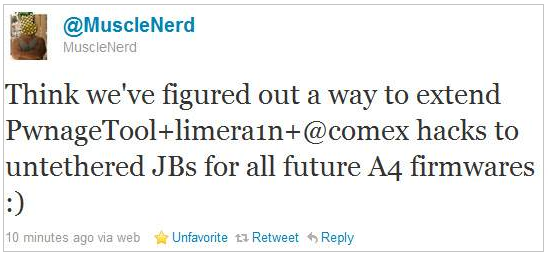
Good news for all A4 users (i.e. iPhone 4, iPod touch 4, iPad and Apple TV 2G users) as MuscleNerd has just surprised us by releasing a very important news. He mentioned that the Dev-team have figured out a combination between PwnageTool, limera1n and Comex untethered hacks, this combination will be able to make untethered jailbreaks for all above mentioned devices on all future firmwares.
You may also like:
Think we’ve figured out a way to extend PwnageTool+limera1n+@comex hacks to untethered JBs for all future A4 firmwares :)Thanks Dev-team for hard work and the guarantee of having untethered jailbreaks for life time. So that Apple will not be able to patch them if it did not upgrade its A4's hardware. We did not catch more news but we let you informed with all immediate updates, Stay tuned.
You may also like:
Thursday, October 14, 2010
Download Limera1n for Mac OS X to Jailbreak iOS 4.1 on iPhone 4, 3GS, iPod Touch 4G, 3G and iOS 3.2.2 on iPad
Now we can say that Geohot love Mac, he has just released the limera1n jailbreak version for Mac, to jailbreak iOS 4.1 on iPhone 4, iPhone 3GS, iPod touch 4G, iPod touch 3G and iOS 3.2.2 on iPad. As you know limera1n is untethered jailbreak, limera1n Windows version has been released last Saturday.
 If you are Windows user, you can download limera1n jailbreak Windows version from here, and follow our guides to jailbreak your iPhone 4/3GS, iPod touch 4G/3G on iOS 4.1 and iPad on iOS 3.2.2 from here.
We will prepare the guides for our Mac readers very soon, Stay tuned.
Download Limera1n jailbreak for Mac OS X
You may also like:

We will prepare the guides for our Mac readers very soon, Stay tuned.
Download Limera1n jailbreak for Mac OS X
You may also like:
Skype Announcing Integration with Facebook
Skype has just announced a new version for Windows which will help bring you and your friends, family and co-workers together like never before. New Skype has been integrated with Facebook News Feed and Phonebook, which help you to stay connected with people you care about.

With Facebook integration, you can:
Download Skype 5.0 for Windows.
You may also like:
Image via RRW
With Facebook integration, you can:
- see your Facebook News Feed in Skype
- post status updates that can be synced with your Skype mood message
- comment and like friends’ updates and wall posts
- call and SMS your Facebook friends on their mobile phones and landlines
- make a free Skype-to-Skype call if your Facebook friend is also a Skype contact
Video calling accounted for approximately 40% of all Skype-to-Skype minutes in the first half of this year, and with the new version of Skype, you’ll receive a free trial of group video calling in beta. We’ve added a dynamic group video calling view, which it easy to follow who’s talking by moving the focus to the person speaking on the call – try it out!
We’ve also continued our drive to further improve call quality, and the new version of Skype introduces automatic call recovery, which helps you reconnect calls that are interrupted due to Internet connection problems. Plus, the call quality manager gauges audio and video quality during calls, helping you to resolve problems and improving the call experience.
Download Skype 5.0 for Windows.
You may also like:
Tuesday, October 12, 2010
Jailbreak iPod Touch 4G, 3G on iOS 4.1 with Greenpois0n [How to Guide]
Few minutes ago we broke the news with the Chronic dev big surprise which is the Greenpois0n jailbreak for iPhone 4/3GS and iPod touch 4G on iOS 4.1 and iPad on iOS 3.2.2, as usual we prepared for you the how to guide to jailbreak your iPod touch 4G/3G on iOS 4.1 with Greenpois0n jailbreak.
STEP 1: Download Greenpois0n jailbreak (link at the end)
STEP 2: Connect your iPod to your computer via USB then launch Greenpois0n jailbreak application and hit "Prepare to Jailbreak (DFU)" button.
 STEP 3: Follow the steps shown on the next screen shots to put your device in DFU mode.


 STEP 4: Your device is now ready for jailbreak , now hit "Jailbreak" button.
 STEP 5: Now your device is being jailbroken.

 STEP 6: Now press "Quit" button.
 STEP 7: Restart your iPod, now you will notice Loader application icon on your springboard, hit this icon.
 STEP 8: Now press "Cydia", then "Install Cydia". After finishing you will be asked to remove Loader from your device, click "Remove", then press Home button, the device will restart automatically.


STEP 9: After your device restart you will find the Cydia icon, Congratulations.
 Note: For who already have a jailbroken devices with limera1n jailbreak, don't follow this guide, as it will has no added value.
Download iOS 4.1 for iPod 4G/3G.
Download Greenpois0n jailbreak for iOS 4.1.
You may also like:
STEP 1: Download Greenpois0n jailbreak (link at the end)
STEP 2: Connect your iPod to your computer via USB then launch Greenpois0n jailbreak application and hit "Prepare to Jailbreak (DFU)" button.
- Now you have to press and hold the sleep button for 2 seconds.
- Continue holding sleep, then press and hold home for 10 seconds.
- Now release sleep button but keep holding home for 15 seconds.
STEP 9: After your device restart you will find the Cydia icon, Congratulations.
Download iOS 4.1 for iPod 4G/3G.
Download Greenpois0n jailbreak for iOS 4.1.
You may also like:
Jailbreak iPad iOS 3.2.2 with Greenpois0n [How to Guide]
Few hours ago Chronic dev has unveiled the long overdue Greenpois0n jailbreak for iPhone 4 and iPod touch 4G on iOS 4.1 and iPad on iOS 3.2.2, as usual we prepared for you the how to guide to jailbreak your iPad on iOS 3.2.2 with Greenpois0n jailbreak.
STEP 1: Download Greenpois0n jailbreak (link at the end)
STEP 2: Connect your iPad to your computer via USB then Launch Greenpois0n jailbreak application and hit "Prepare to Jailbreak (DFU)" button.
STEP 3: Follow the steps shown on the next screen shots to put your device in DFU mode.
STEP 4: Your device is now ready for jailbreak , now hit "Jailbreak" button.
STEP 5: Now your device is being jailbroken.
STEP 6: Now press "Quit" button.
STEP 7: Restart your iPad, now you will notice Loader application icon on your springboard, hit this icon.
 STEP 8: Now press "Cydia", then "Install Cydia". After finishing you will be asked to remove Loader from your device, click "Remove", then press Home button, the device will restart automatically.


STEP 9: After your device restarted you will see Cydia icon, Congratulations.
 Note: For who already have a jailbroken devices with limera1n jailbreak, don't follow this guide, as it will has no added value.
Download iOS 3.2.2 for iPad.
Download Greenpois0n jailbreak for iOS 4.1.
You may also like:
STEP 1: Download Greenpois0n jailbreak (link at the end)
STEP 2: Connect your iPad to your computer via USB then Launch Greenpois0n jailbreak application and hit "Prepare to Jailbreak (DFU)" button.
- Now you have to press and hold the sleep button for 2 seconds.
- Continue holding sleep, then press and hold home for 10 seconds.
- Now release sleep button but keep holding home for 15 seconds.
STEP 9: After your device restarted you will see Cydia icon, Congratulations.
Download iOS 3.2.2 for iPad.
Download Greenpois0n jailbreak for iOS 4.1.
You may also like:
Subscribe to:
Posts (Atom)