Showing posts with label Mac OS. Show all posts

Friday, November 12, 2010

AirPrintHacktivator Activates Airprint in Mac OS X 10.6.5 with One Click

Airprint was already hacktivated manually (look at 9to5mac) and it took lots of steps but now the easy one has just been released by Neputing. Now Hacktivating your Airprint on Mac OS X 10.6.5 is really easy with this new tool. AirprintHacktivator can easily activate your Airprint automatically with just a click. You can now Havktivate and De-Hacktivate Airprint with this tool.
I wrote a quick and dirty application called AirPrintHacktivator that will do it for you. The application allow you to “Hacktivate” and “De Hacktivate” AirPrint by adding or removing the 3 files required… all of this while making a backup of the current files so they are properly restored during “De Hacktivation”.

WARNING! USE AT YOUR OWN RISK! It is working fine for me but don’t come crying if it break something on your Mac
You can use this tool only on Mac OS X 10.6.5 and it will not work on previous versions. We see some reports floating on the web indicating that it works on fine for all.

Download AirPrintHacktivator for Mac OS X 10.6.5

[Thanks everyone who send this in]

Wednesday, November 10, 2010

Apple Releases Mac OS X 10.6.5

Apple has just released the long waited Mac OS X 10.6.5 Snow Leopard. You can finally get it now from your software update. Here's the full change log below:
What’s included?

General fixes and improvements

- Improves reliability with Microsoft Exchange servers.
- Addresses performance of some image-processing operations in iPhoto and Aperture.
- Addresses stability and performance of graphics applications and games.
- Resolves a delay between print jobs.
- Addresses a printing issue for some HP printers connected to an AirPort Extreme.
- Resolves an issue when dragging contacts from Address Book to iCal.
- Addresses an issue in which dragging an item from a stack causes the Dock to not automatically hide.
- Resolves an issue in which Wikipedia information may not display correctly in Dictionary.
- Improves performance of MainStage on certain Macs.
- Resolves spacing issues with OpenType fonts.
- Improves reliability with some Bluetooth braille displays.
- Resolves a VoiceOver issue when browsing some websites with Safari 5.
- Improves Bluetooth pairing with Magic Trackpad.
- Resolves performance issues with third-party displays that use InstaPort technology.
- Add SSL support for transferring files with iDisk.
- Resolves an issue when opening 4-up Photo Booth pictures in Preview.
- Addresses keyboard responsiveness issues in the Dock when Spaces is turned on.
- Resolves an issue syncing Address Book with Google.
- Fixes an issue when replying to a Mail message sent by a person whose name contains certain characters such as é or ü.
- Improves performance for users bound to an Active Directory domain.
- Improves reliability of Ethernet connections.
- Systems with a Mac Pro RAID Card (Early 2009) installed can now be put to sleep. For more information, see Mac Pro RAID Card (Early 2009): Enabling system sleep.
- Improves reliability of fibre channel connections, resolving a potential Xsan volume availability issue.
- Adds RAW image compatibility for additional digital cameras.
- Security improvements; for information about the security content of this update, please visit this article.
- Additional Information
- This update also includes the improvements found in the Mac OS X v10.6.1, 10.6.2, 10.6.3, and 10.6.4 updates.
Download Mac OS X 10.6.5 Snow Leopard [Direct Link]

Saturday, November 6, 2010

PdaNet Turns your iPhone into a True WiFi HotSpot on iOS 4.1

PdaNet has just got update to support iOS 4.1. PdaNet turns your iPhone into a WiFi HotSpot so that you can connect to it from your computer or iPad. This allows you to get your laptop online wirelessly through the iPhone's network.

Moreover, it supports USB tethering for both Mac and Windows users. PdaNet provides the fastest connection speed possible from your data service and data signal. To enjoy using the app, you need a jailbroken device, so you can follow our guide posted here to jailbreak iOS 4.1 with Limera1n. Once jailbroken, search for PdaNet Free Edition in Cydia under ModMyi repository for free.

To use WiFi mode you do not need anything installed on the computer end. To use USB mode, download the desktop client on Mac or Windows with 14 days trial. So, in case you enjoyed the app, let us know in the comment section below. [via FSM]

Friday, November 5, 2010

Skype 5 Beta for Mac Now Available for Download !

Skype 5 Beta for Mac has been released and it comes with lot of improvements, new features and totally new UI. It looks like Mac version of Skype has started gaining feature parity with Windows version.
The new Skype for Mac includes following new features
  • New call control bar — Hang up, mute and more from a mini Skype toolbar that sits on top of any web pages, documents or photos you’ve got open
  • group video calling which allows you to make video calls with more than two people at a time as long as all participants are on the new Mac beta or Skype for Windows 5.0.
  • Search chat content to easily navigate past conversations
  • Offline IM so that you can send and receive instant messages even if the recipient is offline
  • Personalise contacts via user profiles
  • Quickly rejoin calls if your Internet connection fails momentarily
  • Floating Contacts Monitor to see your online contacts and contact groups


Here you can try the beta version of Skype 5 for Mac OS X for free! Stay tuned as we'll inform you whenever Skype 5 goes alpha.

Download Skype 5 Beta for Mac

Thursday, November 4, 2010

Easily Recover Lost iPhone / iPod Touch Data from iTunes Backups

iTunes automatically makes the backup of your iPhone/iPod Touch and iPad data. Today I found a useful utility that lets you to extracts data from backups created automatically by iTunes.

The iPhone Backup Extractor utility can recover contacts, pictures, call histories, MMS, SMS and text messages, videos, voicemail, calendar entries, notes, app files, saved games, debug information and data that might otherwise be inaccessible. It automatically converts the extracted database into CSV, VCard or ICAL formats, so they can be easily imported into Excel, Outlook, or Webmail.

The iPhone Backup Extractor can extract files from the backups iTunes automatically makes of your iPhone, iPad or iPod Touch.
iphone-backup-extractor
The iPhone Backup Extractor works on Windows (XP, Vista, 7), Mac OS X and Linux, with iPhone, iPod Touch, iPad, iPhone 3G, iPhone 3GS and iPhone 4 backups from all versions of iTunes.

Download iPhone Backup Extractor

Phone Disk Turns your iPhone, iPad and iPod touch into a USB Drive [FREE]

Phone Desk is a nice tool for Windows and Mac OS X that enables you to turn your iPhone, iPod or iPad into a USB Drive.

By using standard USB cable, Phone Desk sits in menu bar or system tray of Mac or PC and whenever it finds an iOS device, it seamlessly mounts it to your files so you can directly access its files using Windows Explorer etc.
phonediskFunctionality

Key Features of Phone Desk
  • Open, copy and save files directly on device
  • Browse the iPhone in Finder and Windows Explorer
  • Fully integrated with OSX and Windows
  • Expands to work with multiple devices
  • Clean application
  • Copy images and the view them on device

finder-2
Macroplanet is giving free licenses of Phone Disk until 1st December 2010, so if you install and activate the Phone Desk before 1st December 2010, you will get free updates and can enjoy the full version of this software on your computer forever! So what are you waiting for? Head over to Phone Desk page to avail this offer before its too late.

Tuesday, October 26, 2010

Microsoft Office 2011 for Mac is Available for Download Now

Finally, the much waited app for Mac OS X is available for download. Earlier today, Microsoft has announced retail availability of Office 2011 for Mac. It comes in two flavors, Microsoft Office for Mac Home and Student 2011 which Costs: $109 for a single license, $129 for 3 and Microsoft Office for Mac Home and Business 2011 which Costs: $174 for a single license, $239 for 3.
Microsoft launches Office 2011 for Mac today, bringing Mac users the latest versions of the company’s productivity software. The release is the latest effort from the Office for Mac team, which has been delivering Microsoft software to the Mac for 13 years.
Office 2011 for Mac brings tons of new features, Mashable has great coverage and review for the all new Microsoft Office 2011 for Mac OS X. [Microsoft]

Monday, October 25, 2010

Mac OS X 10.7 Lion have some new User interface Elements to Show.

In the Last week's media event "Back to the Mac", Steve Job demoed the new OS for Mac i.e Mac OS X 10.7. All the new features were discussed in that event. This new OS is said to be released in 2011. Main features that were discussed in this events were Full screen Apps, LaunchPad, Mac App Store.
Readers at that event have noticed some other user interfaces which will also come with this OS.

One rumor about that event indicating that there will be iOS inspired scroll bars. This means that there's no need to mouse movement for the appearance and the disappearance of the scroll bar when it is in use or not.

Another rumor was that in this OS, user will be allowed to re-size their windows from any corner an adjust it according to their use, in the paste windows was only re sized from bottom right corner. Two more feature that's discussed in the event is the "Auto save" & "Apps resume when launched", this new features make the dock look more better which means that dock will not indicate the launched app using that characteristic light (notification light) but it will show a typical light indicator under that app which is launched before.

but in the new version:

So these were some extra features that was caught by readers and as we will get some more news about this new OS we will surely inform you. [via MacRumors]

You may also like:

Sunday, October 24, 2010

Apple's “Back to the Mac” Event in 3 Minutes [VIDEO]

Back to the Mac media event was a great event for Mac lovers. Apple held this media event last Wednesday on 20th October. New MacBook airs were introduced in the event, Mac OS X Lion, iLife 11 and more! The full event event video is more than 90 minutes and available on Apple's site. But would you prefer abridged 3 minutes one?

Here's the 3 minutes video covering almost the important scenes took place in the event, watch it and tell us how do you like it.

You may also like:

Thursday, October 21, 2010

Mac OS X 10.7 Lion Brings Tons of New Features

Back to the Mac was a great event for Mac lovers! First, two new Macbook air announces one 11.6-inch and other 13.3-inch. Then, Steve Jobs announced Mac OS X 10.7 or what's called by Lion.
Multi-touch gestures
Apple knows that touch screen notebooks don’t work, trackpads and mice are the way to multitouch a desktop operating system. With this in mind, Lion will have advanced gesture support

Mac App Store
The App Store revolutionized mobile applications, so of course they bring it to the Mac. Features are automatic installation, one-click downloads, automatic app updates, apps will be licensed for use on all of your Macs. This will be available first under 10.6 Snow Leopard in 90 days. On the developer side, the Mac App Store will have the same developer 70/30 split as the iOS App Store, and submissions will be accepted soon. See screenshot below of the Mac App Store:

Launchpad
Launchpad is Home Screen for your Mac, supports multitouch gestures and multiple pages of apps, folder support, the whole thing very similar to iOS on an iPad. This is part of a newer and more refined Mac OS X GUI. See screenshot below:

Full screen apps
immersive experience of iOS apps comes to the Mac, true full screen support for apps, takes away window bars. Supports multitouch gestures to swap between fullscreen apps, desktops, and other apps. See screenshot below:

Mission Control
Expose, full screen apps, Dashboard, Spaces all in one – (we called better window management) – how do you make them all work together? Unify them under Mission Control

Auto-save
self explanatory, awesome feature and much needed. Clicking Save feels archaic after using an iPad/iPhone, doesn’t it? Yup, bring it to Mac OS X

Mac OS X Lion has a scheduled release date of summer 2011. It will be called Lion and is a significant update to OS X. ac App Store will open up within 90 days and will work on Snow Leopard. [via OS X Daily]

Friday, October 15, 2010

HOW TO: Jailbreak iOS 4.1 on iPhone 4, 3GS, iPad, iPod touch 4G / 3G on Mac

We already broke the news and told you that Geohot with the help of some hackers could write Limera1n's code to work on Mac OS X. In case you don't know how to use the most easiest tool to jailbreak your iOS device, here's full step by step how to guide to jailbreak iOS 4.1 on iPhone 4, iPhone 3GS, iPod touch 4G, iPod touch 3G and iOS 3.2.2 on iPad.

NOTE: If you are using Ultrasn0w to unlock your carrier, then don't use the instructions below as the unlock for new basebands is not available yet. For iPhone 4 users, use the instructions posted here to preserve your baseband. For other devices, wait for PwnageTool to be released this weekend.

STEP 1: Download Limera1n for Mac OS X from here.

STEP 2: Connect your iPhone to your PC via USB then launch Limera1n and hit “make it ra1n”
STEP 3: You will have to get your device into DFU mode by following the steps on the screen shown by Limera1n.
  • You iPhone will now be placed in recovery mode.
  • Press both the power and the home buttons.
  • When Limera1n asks you to, release the power button.
  • Your phone will now be in DFU mode
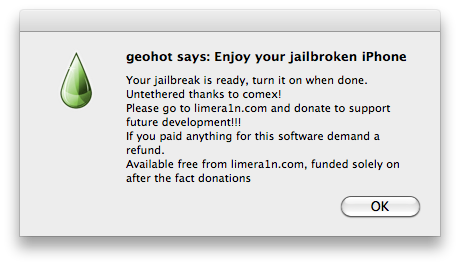
STEP 4: You should see a message like this indicates that your devices has been jailbroken successfully.
STEP 6: Now start Limera1n app from your iPhone, iPad or iPod touch and install Cydia as shown in the screenshots below.

STEP 7: Now simply restart your device and enjoy the jailbreak!

Tuesday, September 7, 2010

Apple Releases Safari 5.0.2 to Bring Improvments

Apple has just updated their browser Safari to 5.0.2, the update fixes some bugs and security issues. The update is 39 MB size and as usual it requires a restart. Apple notes on the update "improvements to compatibility and security", here's the full changelog.
- Fixes an issue that could prevent users from submitting web forms
- Fixes an issue that could cause web content to display incorrectly when viewing a Google Image result with Flash 10.1 installed
- Establishes an encrypted, authenticated connection to the Safari Extensions Gallery
Also you will notice that iWeb update is included in the update. To install these updates, just navigate to "The Software Update" app from your Mac OS.

You may also like:

Thursday, August 26, 2010

Apple Released iWork 9.0.4 for MacOSX

Apple just released iWork 9.0.4, the new version bringing a number of fixes to Apples's productivity suite but also deploying a new feature, this new feature is the ability to export Pages documents in the ePub format for compatibility with company's iBooks application for iOS.

Keynote 5.0.4
- Addresses an issue when printing handouts with rule lines.
- Fixes an issue with the slide switcher.
- Resolves an issue when automatically resizing some images while changing slide size.
- Fixes an issue with tables.

Pages 4.0.4
- Fixes an issue with tables.
- Includes compatibility with the standard ePub file format (for use with iBooks) when exporting.

Numbers 2.0.4
- Fixes an issue with tables.

Note:Apple has also posted a support document offering advice on how to choose between ePub and PDF for a given document and outlining how to create an ePub file from a Pages document.
Download iWork 9.0.4.
[via macrumors]
You may also like to check out this:

Wednesday, August 25, 2010

Mac OS X gets PDF Exploit Fix in a Security Update

Mac has got its own PDF exploit fix in a new security update, it's the same as the iOS 4.0.2 for iPhone / iPod Touch, and iOS 3.2.2 for iPad which fixes PDF exploit that was discovered when JailbreakMe released! Here's what Apple says about the security update.
Impact: Viewing or downloading a document containing a maliciously crafted embedded font may lead to arbitrary code execution

Description: A stack buffer overlow exists in Apple Type Services’ handling of embedded fonts. Viewing or downloading a document containing a maliciously crafted embedded font may lead to arbitrary code execution. This issue is addressed through improved bounds checking.
The update is available for all users who have the latest version of either Leopard or Snow Leopard installed on Mac OS X Server 10.5, Mac OS X 10.5.8, Mac OS X Server 10.6, or Mac OS X 10.6.4 .

Sunday, August 22, 2010

Mac Theme on Windows 7 using “Snow Transformation Pack”

If you are using Windows seven, why don't you make it like a Mac? This pack turns your Windows 7 into interactive and awesome Mac OS X interface including icons, wallpapers, the Dock, sounds, dialogue boxes, login screen, window skin, and more! The pack is developed by WinXSoft and it's free for download!
You can download the pack from the link below for free, if that piss you off, then get a Mac and you will get a better theme, right?

Video guide by iPhonix!


Download Snow Transformation Pack [Direct Link]

Friday, July 30, 2010

Mac OS X 10.7 to have New Revolutionary Feature Focused in WWDC 2011

Apple has posted a new job opportunity, it need skilled senior software engineer who will introduce a new Revolutionary Feature in Mac OS X 10.7. Apple says that this new feature is something that has never been done before and it will surprise both of us. Check the job description below..
Are you looking to help create something totally new? Something that has never been done before and will truly amaze everyone? Are you excited by the prospect that what you helped create would be used every day by millions of Apple customers? Then come and work on with the Mac OS X software engineering team to help build a new and revolutionary feature for Mac OS X.
We are looking for a senior software engineer to help us create a revolutionary new feature in the very foundations of Mac OS X. We have something truly revolutionary and really exciting in progress and it is going to require your most creative and focused efforts ever.
An ideal candidate will have a degree in Computer Science (or equivalent), five years of professional experience developing C / C++ / Objective-C libraries or frameworks for use on end user systems, experience with developing for Internet technologies and services, and a passion for doing “really hard” things that have never been done before.
An exceptional candidate will also have up close and personal experience with the HTTP protocol as well as other protocols layered atop it, have participated in or lead the architecture of large web scale systems, have shipped multiple “platforms” for use by millions of users.
Additional Desired Skills and Experience:
- Mac OS X platform development experience
- Knowledge of Objective-C
- UNIX development experience
- BS in Computer Science or equivalent; 5+ years experience
This Mac OS X 10.7 will be Focused in WWDC 2011 as Mac OS X didn't take it's right position in the last years of WWDC. [via Redmondpie]

Saturday, July 10, 2010

How to: Install Mac OS (Snow Leopard) on Windows 7 Using VirtualBox

I think most of you need to Install Mac OS X on his Computer / Laptop, You may need Mac OS to Run PwnageTool, iPhodroid and many things in Web compatible only with Mac, So here's a Step by Step guide which will Enable you to Install Mac OS X Snw Leopard on Windows Using VirtualBox [Free], But needs a fast computer!
Required:
- Intel or AMD processor which supports hardware virtualization
- OSX86 iso, Get it off of torrents if you don’t have one.
- VirtualBox, Can be Downloaded from Here.
- Windows 7, Vista or XP installed as host operating system.

Steps:
Step 1: Launch VirtualBox you Downloaded previously, Then click on "New" to create a new Virtual Machine in VirtualBox
Step 2: Give a name for your Virtual Machine, for Example "OSX", Choose "Mac OS X Server" from the dropdown menu and Click on "Next"
Step 3: Now, Assign your VM some Ram, In the tutorial here we made it "1500MB"
Step 4: You have to create a new Hard Disk for your VM, it should be about 20GB. If you choose Dynamic, it will expand on use and Static will be a fixed 20GB no matter how much data is actually in it.
Step 5: Click on "Settings" then "System" from the left panel, and unCheck the option "Enable EFI (special OSes only)"
Step 6: Now from the left panel, Select "Storage" then on "Empty", Now click on the folder with the green arrow on the right
Step 7: In this Step, Click on "Add" at the top, then add the OSX86 iso you already downloaded, Now highlight it and click Select at the bottom. Then click OK and start
Step 8: As it starts up, click inside the window and hit F8. Then at the boot: prompt type –v so you can see what exactly went wrong if something does go wrong. All the services will run and eventually you should come to the language screen. Choose your language and then click next. If you are unable to move your mouse around then hit Right-Ctrl + I. Click Continue and Agree, and then start Disk Utility found in Utilities menu at the top.
Step 9: In this window, click on "20GB VBOX HARDDISK", then click on "Erase", In the name box write what you want then Click on"Erase" at the bottom. Once done, quit the Disk Utility so that you return back to the installer.
Step 10: Now Click on "OSX" Partition and press on "Continue"
Step 11: Now Click on "Customize" at the left bottom and check the following:
For AMD Users check,
Any Updates included at the top.
Drop down Kernels and choose Legacy kernel.
AMD option below System support.

For Intel Users,
Any Updates included at the top.
Drop down bootloaders and check the newest chameleon.
Drop down Kernels and choose Legacy kernel.
Then click Next done and Install. To speed up the process you can click Skip when the disc check pops up.

Step 12: As soon as it says installation finished and starts counting down to restart press the Right-Ctrl and then click on Devices at the top and hit CD/DVD Devices and click Unmount CD/DVD Device. Then click Machine and Reset then click reset at the prompt. Next you’ll see the Chameleon loader and then OSX will begin to boot.
Meh! After rebooting you should now be running Mac OS X Snow Leopard Working under Windows 7 / Vista / XP [via Lifehacker, Redmondpie, Tek411]

Wednesday, June 16, 2010

Download iTunes 9.2 for Windows and Mac OS X

Apple has just released a new version of iTunes, iTunes 9.2 is avaliable for download for public for both Windows and Mac OS X, this new version brings support for iOS 4 for iPhone and iPod touch.
Here's the change log of iTunes 9.2 update:
- Sync with iPhone 4 to enjoy your favorite music, movies, TV shows, books and more on-the-go
- Sync and read books with iPhone or iPod touch with iOS 4 and iBooks 1.1
- Organize and sync PDF documents as books. Read PDFs with iBooks 1.1 on iPad and any iPhone or iPod touch with iOS 4
- Organize your apps on your iOS 4 home screens into folders using iTunes
- Faster back-ups while syncing an iPhone or iPod touch with iOS 4
- Album artwork improvements make artwork appear more quickly when exploring your library
Note: For guys who already has jailbroken their iPhone/ iPod can safely update their iTunes  to 9.2 but for who didn't jailbreak yet, then stay away from Spirit.
Download iTunes 9.2 for Windows and Mac.

Tuesday, June 15, 2010

Mac OS X 10.6.4 Released for public

Alright, that's the time for the new Mac OS X 10.6.4 that has been released for public consumation, the size of the new OS ranges between 314MB to 641MB, this new version came with new features and fixes for issues. Also more security, compatibilty and stability for your Mac. The official change log as follows..
The 10.6.4 Update is recommended for all users running Mac OS X Snow Leopard. It includes Safari 5 and general operating system fixes that enhance the stability, compatibility, and security of your Mac, including fixes that:
  • resolve an issue that causes the keyboard or trackpad to become unresponsive
  • resolve an issue that may prevent some Adobe Creative Suite 3 applications from opening
  • address issues copying, renaming, or deleting files on SMB file servers
  • improve reliability of VPN connections
  • resolve a playback issue in DVD Player when using Good Quality deinterlacing
  • resolve an issue editing photos with iPhoto or Aperture in full screen view
  • improve compatibility with some braille displays
Download Mac OS X 10.6.4

Saturday, June 5, 2010

Mac OS X 10.6.4 Expected at WWDC 2010 next Monday?

Few minutes ago we told you about Safari and we told you that it may be Updated on Monday at the WWDC. And Yes Roumers Expect Mac OS X 10.6.4 at the WWDC 2010 next Monday and it fixes some issues that may help you. They will Also improve Connections and displays..

Check the Apple Release of the update: